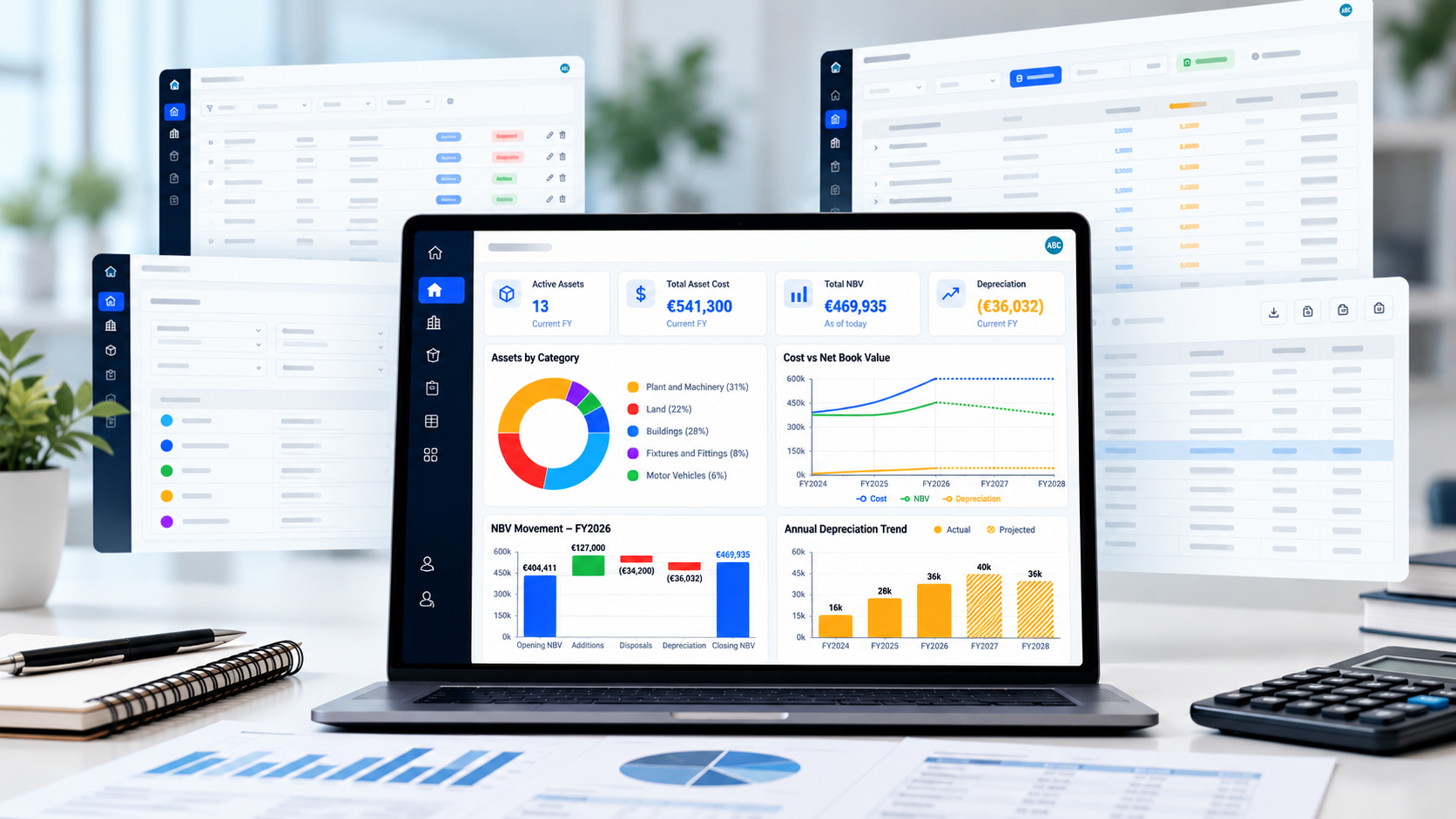
Fixed Asset and Depreciation Management, Made Simple
Simple Depreciation helps SMEs, accountants, and finance teams manage fixed assets, calculate depreciation, record disposals, and prepare audit-ready reports without relying on complex Excel schedules.
Set up asset categories, add or import assets, track in-use dates, calculate depreciation and related journal entries automatically, and export clear reports for management, accounting, and audit purposes.
Track fixed assets
Maintain a complete register of all your fixed assets with costs, dates, and categories.
Calculate depreciation
Automate straight-line depreciation with flexible methods and useful life settings.
Export audit-ready reports
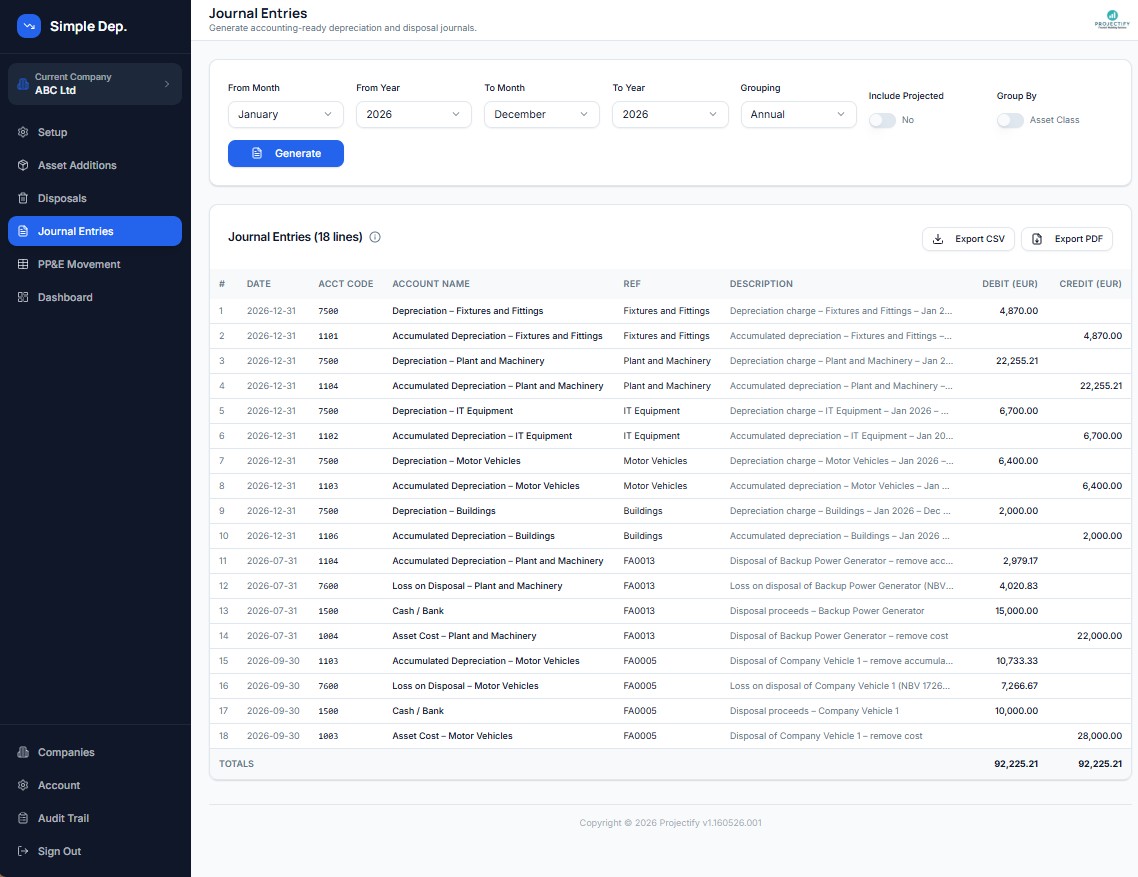
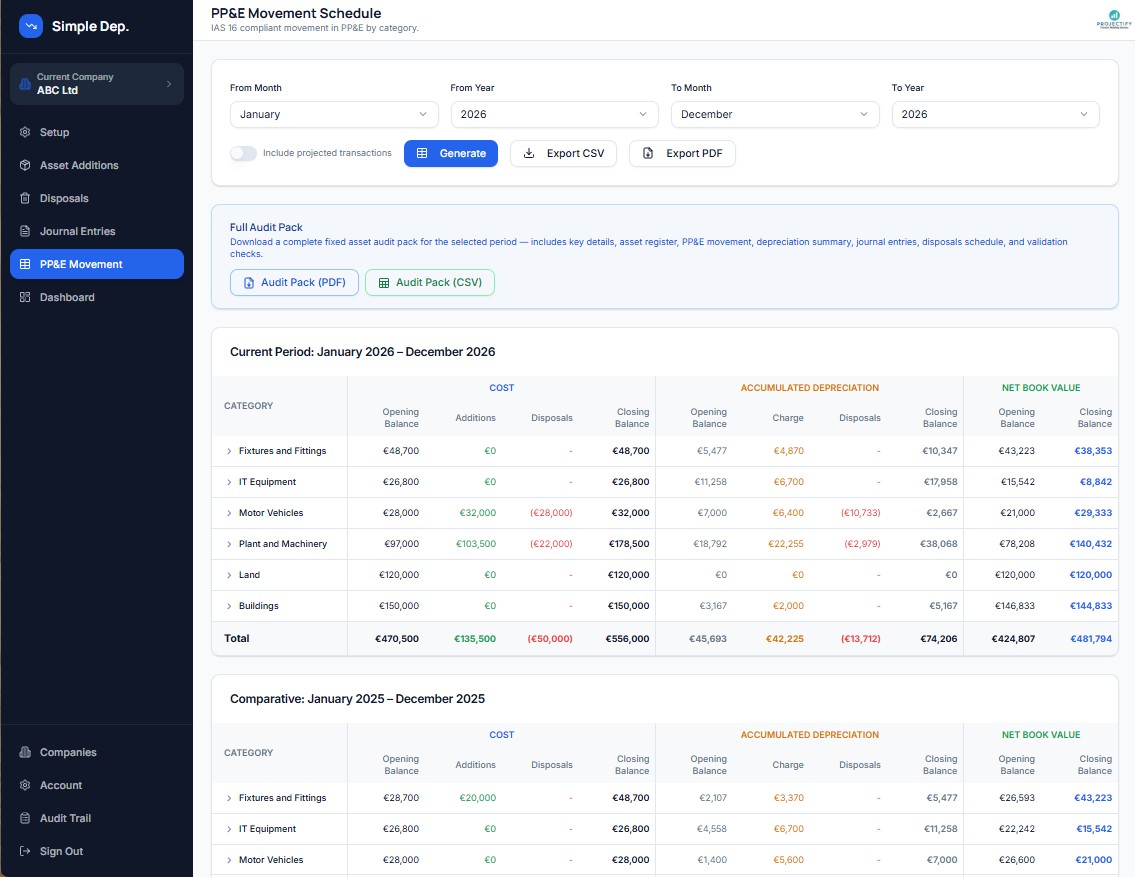
Generate PP&E schedules, journal entries, and full audit packs in PDF or CSV.
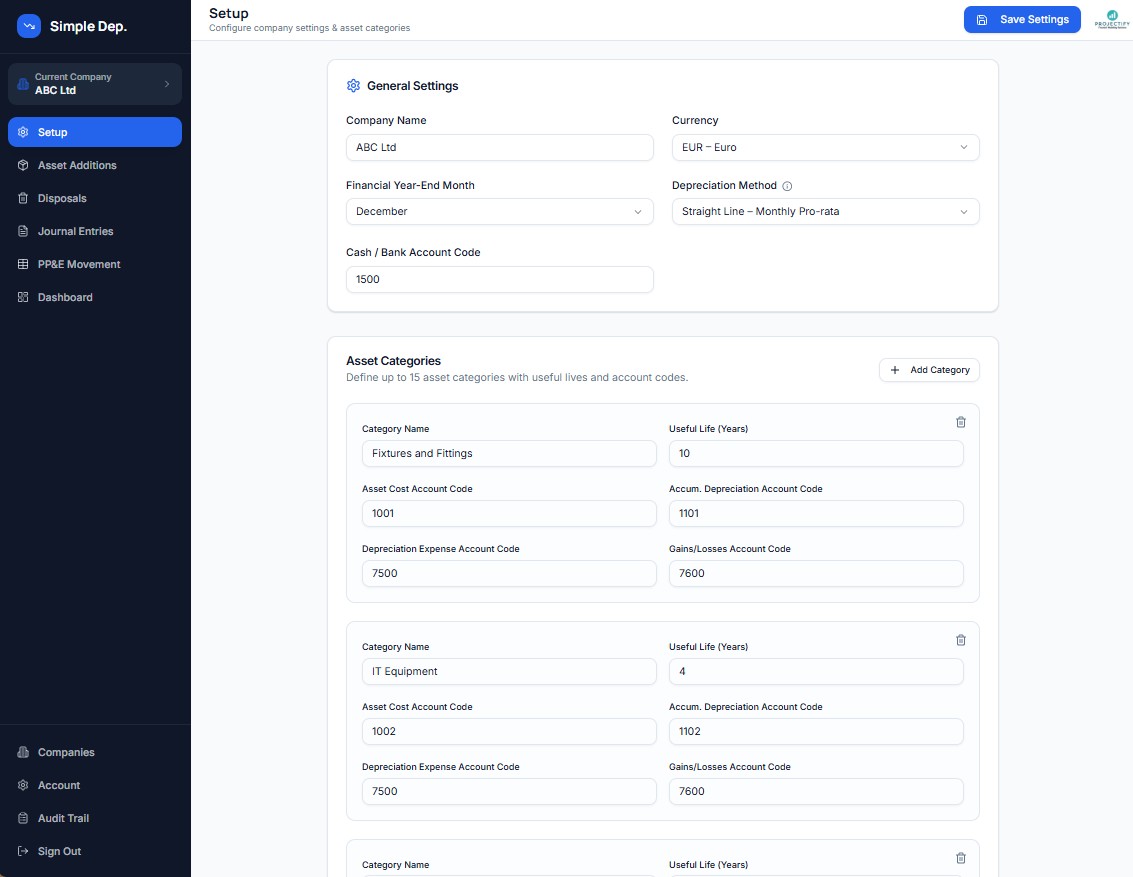
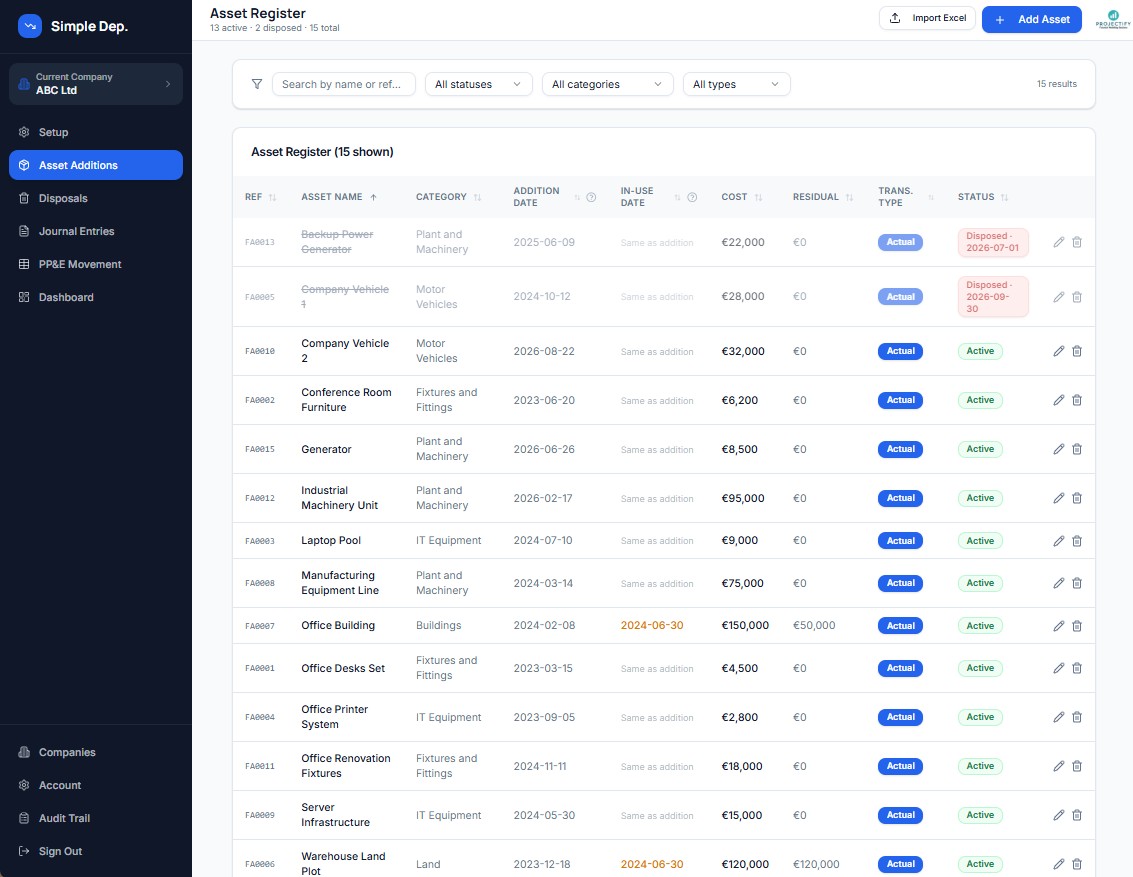
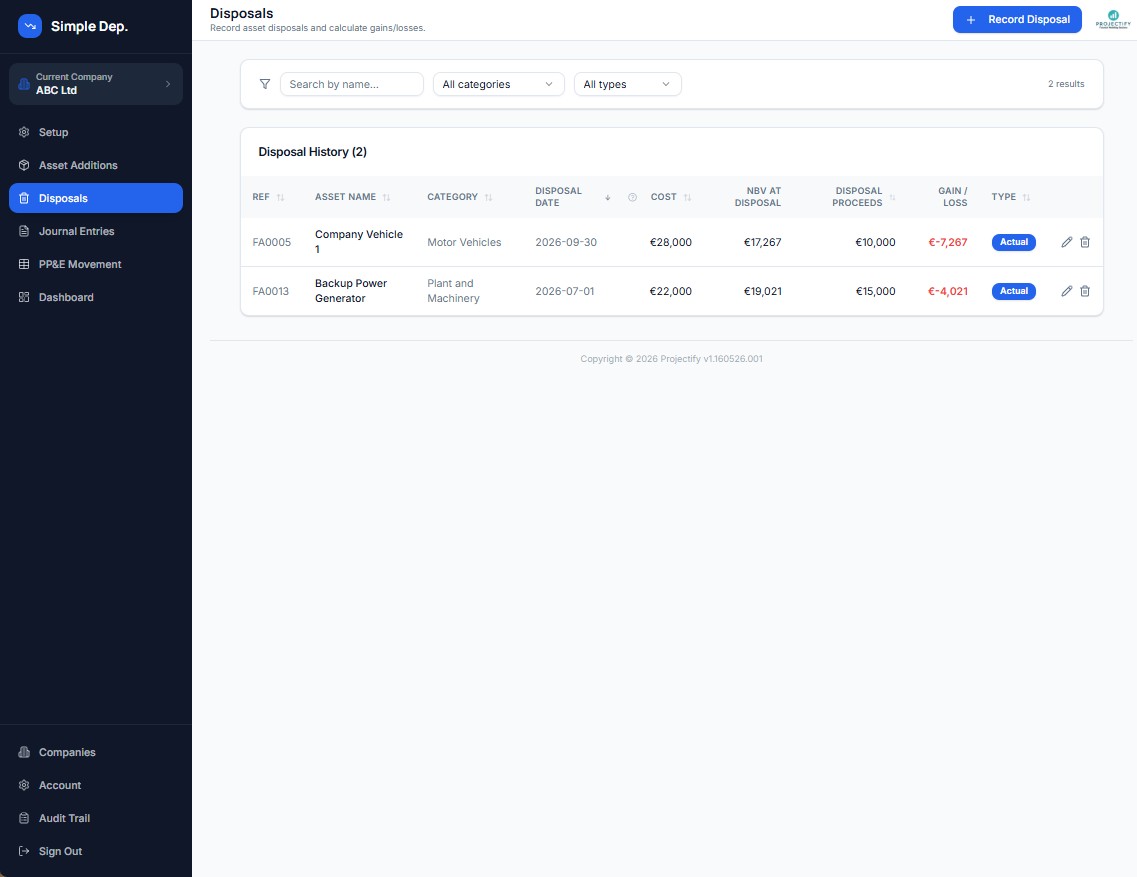
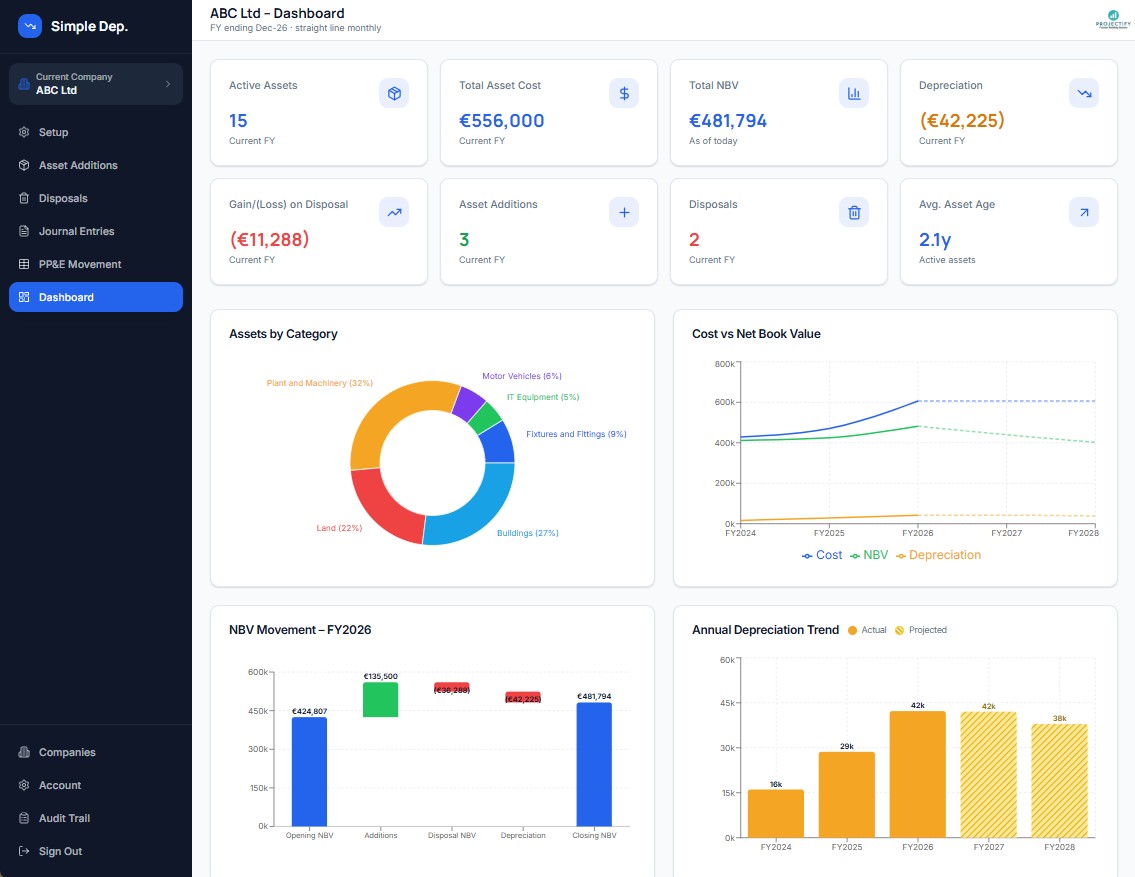
A Clean And Intuitive Interface
Every screen is designed to make fixed asset management fast and straightforward, no training required.
Everything You Need
From asset register to journal entries, all in one place, no more Excel formulas.
How It Works
From Asset Register to Audit-Ready Reports
Six simple steps from setting up your company to sharing audit-ready schedules.
Set Up Your Company
Choose your currency, financial year end, depreciation method and asset categories with account codes.
Add Your Assets
Enter cost, addition and in-use dates, residual value and useful life, one by one or imported in bulk from Excel.
Review Depreciation
Straight-line depreciation is calculated automatically, showing NBV and accumulated depreciation period by period.
Record Disposals
Log asset disposals with proceeds and date, and the gain or loss is calculated with the accumulated depreciation written off.
Generate Journals
Double-entry journals for depreciation and disposals are created for any period, ready to export to PDF or CSV.
Report & Audit
Use dashboards, PP&E movement schedules and a complete audit pack for management reporting and audit.
Simple, Transparent Pricing
No setup fees. No hidden costs. Cancel anytime.
Free
No credit card required, evaluation use only
- 1 company
- Up to 10 active assets
- 1 user
- All core features included
- Excel bulk import
- PDF & CSV exports
- Audit Pack download
Starter
or €200/year (save 17%)
Billed monthly, cancel anytime
- Up to 3 companies
- Up to 100 assets
- 2 users per account
- PDF & CSV exports
- Excel bulk import
- Audit Pack download
Includes 3 companies & 100 assets
Pro
or €450/year (save 17%)
Billed monthly, cancel anytime
- Up to 10 companies
- Up to 1,000 assets
- 5 users per account
- PDF & CSV exports
- Excel bulk import
- Audit Pack download
Includes 10 companies & 1,000 assets
Trusted By Finance Teams
"Simple Depreciation replaced our 15-tab Excel model completely. It takes minutes to generate journal entries that used to take hours."
Finance Manager
SME, Ireland
Frequently Asked Questions
Everything you need to know about depreciation and fixed asset management.
What is depreciation?+
Depreciation is the systematic allocation of the cost of a tangible fixed asset over its useful life. It reflects the reduction in value of an asset due to wear and tear, obsolescence, or the passage of time. Depreciation is recorded as an expense in the income statement and reduces the carrying value of the asset on the balance sheet.
What is the straight-line method of depreciation?+
The straight-line method is the most common depreciation approach. It spreads the depreciable cost of an asset (cost minus residual value) evenly across its useful life. For example, an asset costing €10,000 with a €1,000 residual value and a 5-year life would generate €1,800 of depreciation per year. Simple Depreciation supports monthly pro-rata, full-year, and no-first-year straight-line variants.
What are fixed assets?+
Fixed assets (also called Property, Plant & Equipment or PP&E) are long-term tangible assets held by a business for use in operations rather than for sale. Examples include machinery, vehicles, buildings, computers, and office equipment. They are capitalised on the balance sheet and depreciated over their useful lives.
What is Net Book Value (NBV)?+
Net Book Value is the carrying amount of a fixed asset on the balance sheet. It is calculated as the original cost of the asset minus accumulated depreciation to date. NBV decreases each period as depreciation is charged, and reaches the residual value at the end of the asset's useful life.
What is a PP&E movement schedule?+
A PP&E movement schedule (also called a fixed asset roll-forward) shows the opening balance, additions, disposals, depreciation charge, and closing balance of fixed assets and accumulated depreciation for a period. It is required under IAS 16 and is a standard disclosure in financial statements.
What happens when an asset is disposed of?+
When a fixed asset is sold or scrapped, it is derecognised from the balance sheet. The gain or loss on disposal is the difference between the disposal proceeds and the net book value at the date of disposal. Simple Depreciation automatically calculates this gain or loss and generates the corresponding journal entries.
Can I import my existing asset register?+
Yes. Simple Depreciation supports bulk import of assets from Excel or CSV files on the Starter and Pro plans. This makes it easy to migrate from an existing spreadsheet without manual data entry. The Free plan does not include bulk import.
How many assets can I create?+
It depends on your plan. The Free plan supports up to 10 active assets across 1 company, and is intended for evaluation and testing purposes. The Starter plan allows up to 100 assets per company, and the Pro plan supports up to 1,000 assets across up to 10 companies.
Can I export my data?+
Yes. On Starter and Pro plans you can export PP&E movement schedules, journal entries, and depreciation reports as PDF or CSV, and download a full audit pack. The Free plan includes all core features for evaluation but exports and audit packs are not available.
Is my data secure?+
Absolutely. All data is encrypted in transit and at rest. Simple Depreciation is built on enterprise-grade infrastructure with 99.9% uptime. We never share your data with third parties without your consent.
Can I cancel my subscription?+
Yes, you can cancel at any time from your Account page. Your plan will remain active until the end of the current billing period, after which it will revert to the Free tier. There are no cancellation fees.
What payment methods are accepted?+
We accept all major credit and debit cards (Visa, Mastercard, American Express) via Stripe, our secure payment processor. All transactions are encrypted and processed in compliance with PCI-DSS standards.
Who is Simple Depreciation meant for?+
Simple Depreciation is designed for accountants, finance managers, and SME owners who manage fixed assets and need accurate depreciation calculations and compliant reporting without the complexity of full ERP systems.
How does the platform ensure journal entries balance?+
Every journal entry generated by Simple Depreciation follows double-entry bookkeeping rules. Depreciation charges debit the depreciation expense account and credit accumulated depreciation. Disposal entries derecognise the asset cost and accumulated depreciation, with the balancing entry going to gain/loss on disposal. Each entry is verified to balance before being shown.
What KPIs and metrics are available on the dashboard?+
The dashboard shows total asset cost, net book value (NBV), accumulated depreciation, annual depreciation charge, number of active assets, and assets disposed in the period. Charts include NBV over time, depreciation by category, and an IAS 16 PP&E waterfall. You can also view a period-by-period summary table with monthly, quarterly, or annual breakdowns.
Still Prefer Excel?
We've Got You Covered
We built Simple Depreciation with the same logic you'd find in a professional depreciation Excel model, but if you still prefer Excel, we also offer a dedicated Excel calculator built by our team at Projectify.
- Fixed asset register with full transaction history
- Dashboard with key charts and metrics
- Movement in PP&E schedule
- Disposal management with gain/loss calculations
- Accounting-ready journal entries
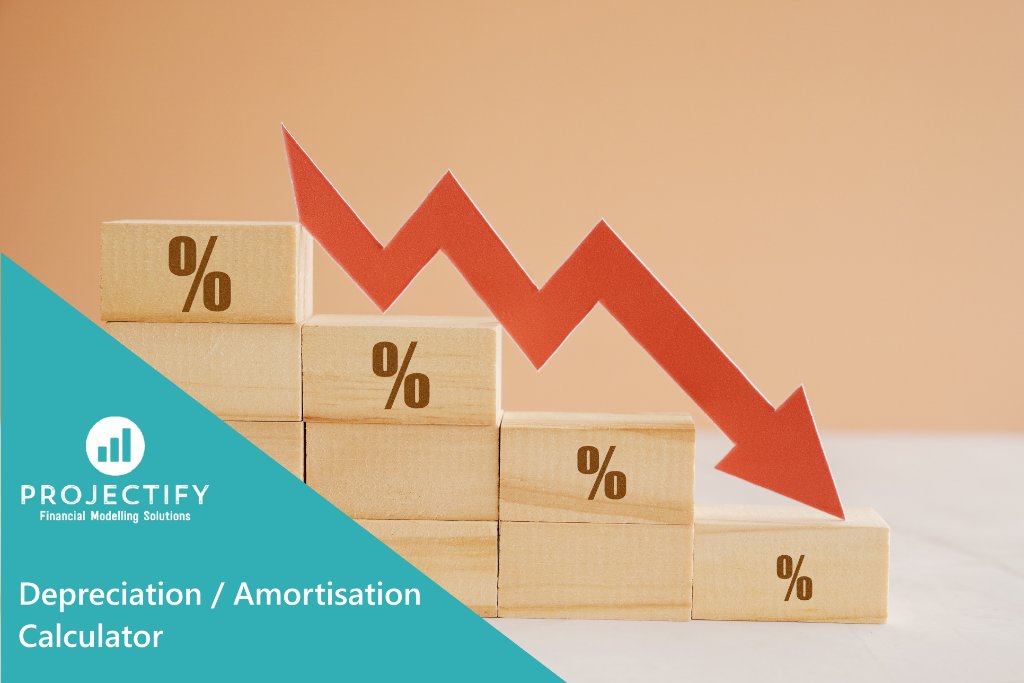
Depreciation / Amortisation Calculator, Excel Model by Projectify